
Power BI vs. Tableau: Navigating the Best BI Tools for Your Data Needs

In the dynamic world of Business Intelligence (BI), two tools frequently dominate the conversation: Microsoft's Power BI and Tableau. Both offer robust capabilities in data visualization and analytics, but choosing between them can be a challenge. This blog provides an in-depth comparison to help you decide which tool best suits your organization's needs.
Power BI: The Microsoft Advantage
Power BI, a Microsoft product, is known for its integration with other Microsoft services, making it a familiar choice for those already in the Microsoft ecosystem. Key features include:
Ease of Use: With an interface similar to other Microsoft products, Power BI is user-friendly, especially for those familiar with Excel.
Integration: Seamless integration with Microsoft products like Excel and Azure.
Affordability: Offers a free version and a Pro version at a competitive price.
Real-Time Analytics: Capable of real-time data processing and reporting.
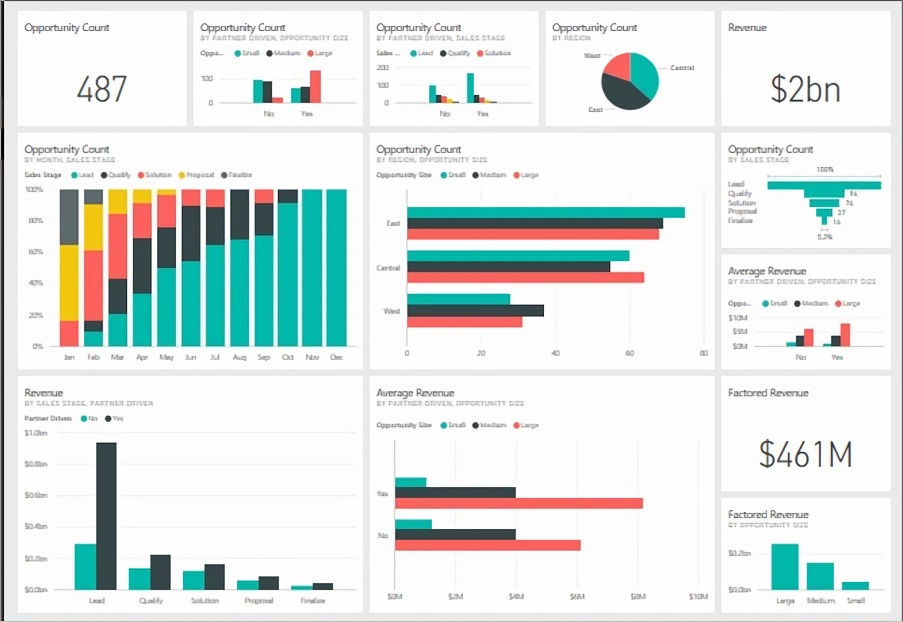
Tableau: The Visualization Pioneer
Tableau stands out for its advanced data visualization capabilities. It's particularly favoured for:
Advanced Visualizations: Offers a wide range of visualization options, from basic charts to complex graphical representations.
Data Handling: Efficiently handles large volumes of data.
Community and Support: Boasts a strong community and extensive support resources.
Flexibility: Highly customizable and flexible in terms of data manipulation and visualization.

Feature Comparison Table
Feature | Power BI | Tableau |
User Interface | Intuitive, similar to Microsoft products | Highly customizable, advanced |
Data Integration | Seamless with Microsoft products | Broad range of data source compatibility |
Pricing | ||
Visualization | Standard, user-friendly options | Advanced, more complex options |
Real-Time Analytics | Strong capabilities | Capable, but with some limitations |
Community Support | Extensive | Extensive |
Pricing Analysis Comparison: Power BI vs. Tableau
When it comes to selecting a data visualization tool, pricing plays a crucial role. Here's a detailed price analysis of Microsoft Power BI and Tableau to help you make an informed decision based on your budget and needs.
Power BI Pricing Analysis Power BI Pricing: Power BI offers a tiered pricing model, catering to different user needs:
Free Version: Power BI also offers a free version with limited capabilities, ideal for personal use or small-scale projects.
Power BI Pro: Priced at $10 per user per month, this plan is suitable for individual users needing self-service analytics for publishing reports and dashboards across the organization.
Power BI Premium (Per User): At $20 per user per month, this plan includes all Pro features plus access to larger model sizes, more frequent refreshes, and other enterprise-scale features.
Power BI Premium (Per Capacity): Starting at $4,995 per month for the P1 SKU, this plan is designed for larger organizations, offering a unified product experience with the same compute capacity and storage.
Tableau Pricing Analysis Tableau offers a tiered pricing model designed to cater to various user needs and organizational scales. The pricing structure is as follows:
Tableau Creator: Priced at $75 per user per month (billed annually), this package is ideal for users who need to create and edit data visualizations. It includes Tableau Desktop, Tableau Prep Builder, and one Creator license on Tableau Cloud.
Tableau Explorer: At $42 per user per month (billed annually), this package is for users who need self-service analytics. It includes one Explorer license of Tableau Cloud.
Tableau Viewer: Priced at $15 per user per month (billed annually), this package is suitable for users who need to view and interact with dashboards and visualizations in a secure, easy-to-use platform. It includes one Viewer license of Tableau Cloud.
Tableau also offers additional services like Embedded Analytics, Tableau Data Management, Tableau Advanced Management, and Einstein Discovery in Tableau, with pricing available upon contacting their sales team.
Choosing the Right Tool
When to Choose Power BI Power BI is ideal for organizations already using Microsoft products. It's a cost-effective solution for small to medium-sized businesses or teams needing straightforward, real-time analytics.
When to Choose Tableau
Tableau is the go-to for organizations requiring advanced data visualization capabilities. It's well-suited for large enterprises or data-heavy sectors where complex data needs to be transformed into insightful visual narratives.
Interested in Exploring Other Tools? Discover Our Looker Studio Templates
As you navigate the complexities of choosing between Power BI and Tableau, you might also be considering other data visualization tools like Google Looker Studio. If you're leaning towards or already using Looker Studio, we have something special to kickstart your journey. At TeachData, we offer a curated collection of Looker Studio templates designed to streamline your data visualization process. These templates are perfect for getting started with Looker Studio, offering a variety of layouts and designs to suit different business needs. Explore our Looker Studio templates today and elevate your data storytelling to the next level.
Conclusion
In the comparison between Power BI vs Tableau, both Power BI and Tableau offer unique strengths. Your choice should align with your organization's specific needs, budget, and existing software ecosystem. Whether it's the integration and familiarity of Power BI or the advanced visualization capabilities of Tableau, the right tool can significantly enhance your data analysis and decision-making processes. Power BI offers a more flexible pricing structure with a free entry-level option, making it accessible for a wide range of users, from individuals to large enterprises. Tableau, while generally more expensive, provides powerful tools for data visualization and is particularly suitable for users requiring advanced analytics capabilities. The choice between Power BI and Tableau should consider both the budget and the specific analytics needs of the organization.
Still unsure which BI tool aligns best with your organization's needs? Let us help you make the right decision. Our Tool Evaluation Service is designed to thoroughly analyze your tech stack ecosystem, understand your specific needs and requirements, and provide you with a comprehensive tool recommendation and evaluation report. Don't leave your BI tool choice to chance. Contact us or book our service now for expert guidance tailored to your business.

Comments